What Is a Riser Desk? The Complete Guide to Desk Risers
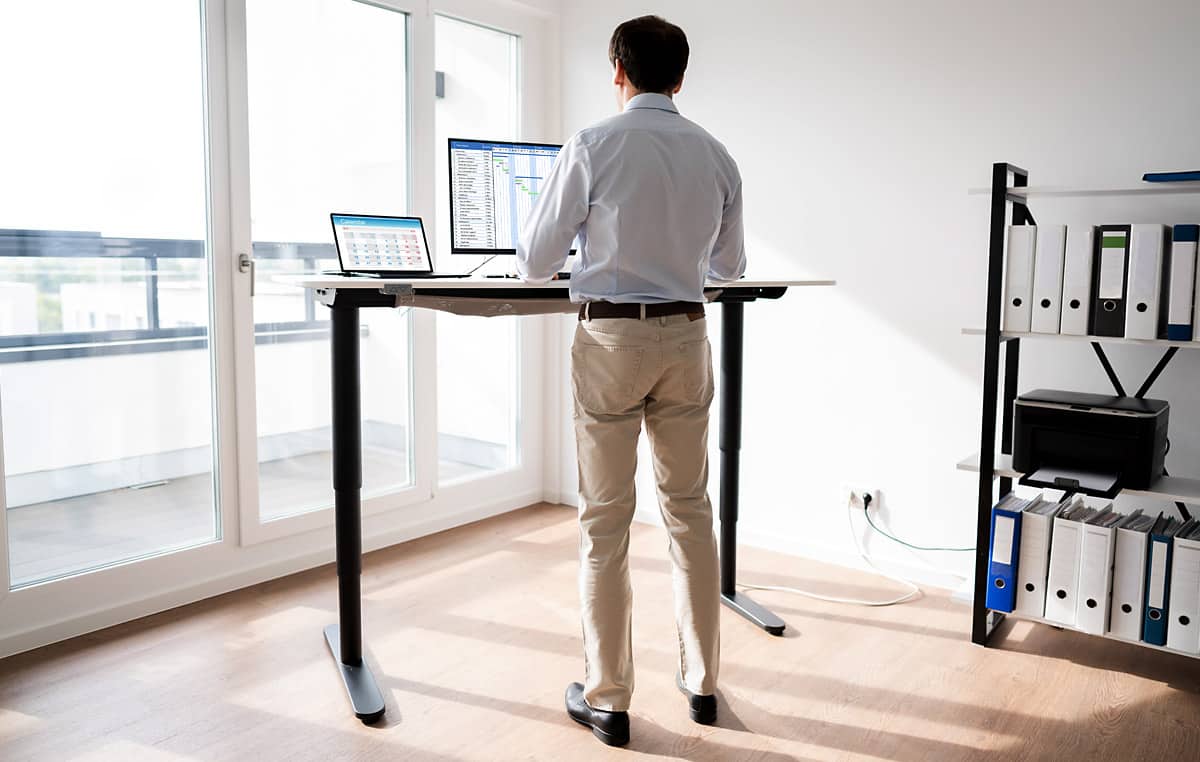
Sitting at a desk for eight hours a day can take a serious toll on your body. Back pain, lowered energy, and poor posture are all common complaints for office workers and remote professionals.
Enter the desk riser.
A desk riser is one of the easiest ways to transform your existing workspace into an ergonomic standing setup without buying an expensive new desk. In this complete guide, you will learn how desk risers work, their benefits, how they compare to full standing desks, and how to choose the right one for your setup.
What Is a Riser Desk?
A riser desk (also known as a standing desk converter) is an adjustable platform that sits directly on top of your existing traditional desk. It allows you to raise and lower your monitor, keyboard, and mouse so you can switch between sitting and standing throughout the workday.
Other Names for a Riser Desk
Search online, and you will see desk risers referred to by several names:
- Standing desk converter
- Tabletop standing desk
- Sit-stand desk converter
- Desk top riser
- Adjustable desk converter
How a Riser Desk Works
A desk riser uses a lifting mechanism either manual, spring-assisted, or electric to lift your equipment straight up or slightly outward. You simply pull a lever or press a button to raise the platform to standing height, then push it back down when you are ready to sit.
3. The Evolution of Standing Workstations
A Brief History of Standing Desks
Standing while working is not a modern trend. Famous figures like Leonardo da Vinci, Benjamin Franklin, and Ernest Hemingway used standing desks to stay active and creative. However, early models were rigid, heavy, and non-adjustable.
Why Desk Risers Have Become Popular
In recent years, modern office culture has realized the health risks of prolonged sitting. Desk risers gained massive popularity because they offer the health benefits of a standing desk at a fraction of the cost and without forcing you to throw away your current office furniture.
Types of Riser Desks
Manual Desk Risers
These require manual effort to raise and lower, often using a knob, latch, or notched track. They are simple, highly budget-friendly, and lightweight.
Gas Spring Desk Risers
The most common type available. Gas spring mechanisms use pressurized gas cylinders to make lifting effortless. You grip a lever, and the riser smoothly glides upward with minimal physical effort.
Electric Desk Risers
Powered by an electric motor, these lift your entire setup at the touch of a button. They are ideal for users who carry heavy equipment or have limited upper-body strength.
Laptop Desk Risers
Compact platforms designed specifically to lift a laptop to eye level. They are portable, lightweight, and perfect for working on the go or in tight spaces.
Single-Monitor Desk Risers
Smaller, streamlined risers built to hold one computer monitor along with a keyboard and mouse.
Dual-Monitor Desk Risers
Wider, heavy-duty risers designed with larger surface areas to accommodate two side-by-side monitors comfortably.
Corner Desk Risers
Specially shaped with angled back edges to fit snugly into L-shaped desks or office corner spaces, maximizing your desk surface.
Why Use a Desk Riser?
Health Benefits
Alternating between sitting and standing helps reduce lower back pain, improves circulation, lowers the risk of weight gain, and decreases blood sugar spikes after meals.
Productivity Benefits
Standing helps boost blood flow to the brain, which improves focus, alertness, and overall daily work energy.
Ergonomic Advantages
By keeping your screen at eye level and your arms at a 90-degree angle, a riser helps prevent neck strain, shoulder tension, and wrist fatigue.
Space-Saving Benefits
Instead of clearing out space for a massive piece of new furniture, a riser fits right on top of what you already own.
Desk Riser vs. Standing Desk: What’s the Difference?
Key Differences
- Desk Riser: Converts your current desk into a sit-stand station. Portable and compact.
- Full Standing Desk: Replaces your entire desk with a motorized or manual height-adjustable frame and tabletop.
Pros and Cons
| Feature | Desk Riser | Full Standing Desk |
| Pros | Lower cost, zero assembly/furniture swap, portable | Larger workspace, cleaner aesthetics, higher weight limits |
| Cons | Takes up surface area, limited weight capacity | Expensive, requires replacing old desk, heavy |
Cost Comparison
Quality desk risers range from $80 to $300, while a good full standing desk typically costs between $300 to $1,000+.
Which Option Is Right for You?
Choose a desk riser if you are on a budget, rent your workspace, or love your current desk. Choose a full standing desk if you need maximum desk real estate and heavy-duty load capacity.
Desk Riser or Height-Adjustable Desk?
What Is a Height-Adjustable Desk?
A height-adjustable desk is a full freestanding table equipped with telescopic legs that raise or lower the entire table surface.
Main Differences
Height-adjustable desks move your whole work surface including lamps, notebooks, and desk organizers whereas a riser only lifts your computer equipment.
Advantages and Disadvantages
Height-adjustable desks offer a sleek look and seamless movement, but they require full assembly and are harder to move around. Risers are plug-and-play solution but reduce overall flat desk surface when lowered.
Which Offers Better Value?
If you want quick ergonomics on a budget, a desk riser offers superior value for money.
When Does a Desk Riser Suit You?
Home Offices
Perfect for home workers who want ergonomic health benefits without redesigning their entire home office room.
Remote Workers
Ideal for remote professionals who need quick setups that fit inside rental apartments or shared rooms.
Students
A great, low-cost choice for students studying in dorms or small bedrooms.
Small Workspaces
Works best when space is tight and you cannot fit an extra piece of heavy office furniture.
Temporary Workstations
Excellent for hot-desking or temporary office setups where permanent modifications aren’t allowed.
Who Should Choose a Full Standing Desk Instead?
Professionals
Power users who spend 8 to 10+ hours a day at their workspace and need a dedicated, heavy-duty solution.
Heavy Multi-Monitor Users
If you use 3+ monitors, heavy audio gear, or massive desktop PCs, a full standing desk provides necessary structural support.
Corporate Offices
Companies setting up permanent, long-term ergonomic workspaces for staff benefit from full adjustable desks.
Long Working Hours
If you sit and stand continually throughout long work shifts, electric full desks offer a slightly smoother workflow transition.
How to Choose the Best Riser Desk
Size and Workspace
Measure your current desk surface first. Ensure the base of the converter fits comfortably without hanging over the edges.
Weight Capacity
Check the maximum load rating. Ensure it can safely support your monitor(s), laptop, keyboard, and accessories (usually 25–45 lbs).
Height Adjustment Range
Make sure the riser extends high enough so your eyes align with the top third of your monitor screen when standing.
Stability and Build Quality
Look for heavy steel frames and sturdy bases to ensure your equipment doesn’t wobble while typing.
Materials
High-grade steel frames paired with durable engineered wood surfaces offer the best balance of stability and lifespan.
Keyboard Tray
Choose a model with a spacious, removable, or angled keyboard tray so your wrists sit comfortably at a neutral position.
Budget Considerations
Set a realistic budget. Reliable gas-spring units usually cost between $120 and $220.
How to Set Up Your Sit-Stand Workspace the Right Way
Monitor Placement
Position your screen about an arm’s length away, with the top of the display at or slightly below eye level.
Keyboard and Mouse Position
Keep your keyboard at elbow height so your arms form a clean 90-degree angle while typing.
Sitting Ergonomics
Sit with your feet flat on the floor, hips pushed back into your chair, and your lower back well-supported.
Standing Ergonomics
Stand tall with your weight distributed evenly on both feet. Avoid leaning to one side or locking your knees.
Recommended Sit-to-Stand Routine
Start slow: Stand for 20 minutes out of every hour, then gradually build up as your feet and back adjust.
Common Mistakes to Avoid
Standing for Too Long
Standing all day is just as harmful as sitting all day. Balance is a key alternative regularly!
Poor Posture
Slouching while standing defeats the purpose. Keep your shoulders relaxed and core engaged.
Incorrect Monitor Height
Tilting your neck down to view a low screen leads to severe neck strain over time.
Buying the Wrong Size
Always check dimensions beforehand to avoid receiving a converter that overwhelms your desk space.
Ignoring Weight Limits
Overloading a riser can wear out the spring mechanism or cause hazardous wobbling.
Essential Accessories for a Desk Riser
Monitor Arms
Attaching an adjustable monitor arm helps free up surface space on your riser platform.
Anti-Fatigue Mats
A padded floor mat cushions your feet and lowers joint strain while standing on hard floors.
Footrests
Useful when sitting to keep your legs properly angled and relieve lower back pressure.
Cable Management Solutions
Use velcro straps or cable sleeves to prevent cords from snagging or pulling when raising your riser.
Laptop Stands
Elevates secondary laptop screens to align evenly with main desktop monitors.
Maintenance and Care Tips
Cleaning Your Desk Riser
Wipe down surfaces using a soft microfiber cloth and mild cleaner. Avoid soaking mechanical joints in liquid.
Maintaining the Lift Mechanism
Keep tension adjusters clean and free of dust so gas springs or manual tracks slide smoothly.
Preventing Wear and Tear
Avoid leaning your full body weight heavily on the front edge of the keyboard tray.
Our Top Standing Desks for an Upgrade-Ready Workspace
Best Budget Standing Desk
Look for entry-level manual or single-motor electric frames that deliver basic height adjustments under $200.
Best Electric Standing Desk
Opt for dual-motor models featuring digital memory keypads so you can save custom height presets easily.
Best Premium Standing Desk
High-end solid wood or bamboo desks backed by heavy-duty steel legs and multi-stage lifting motors.
Best Standing Desk for Home Offices
Compact 48-inch or 55-inch motorized desks that blend seamlessly into home residential decor.
Best Standing Desk for Dual Monitors
Wide 60-inch desks built with heavy-weight capacities (200+ lbs) for complex multi-screen setups.
When to Upgrade from a Desk Riser
Consider upgrading to a full standing desk when your gear outgrows your converter’s weight limits or when you desire a larger, unified work surface.
Frequently Asked Questions (FAQs)
1. What is a riser desk used for?
A riser desk allows users to easily alternate between sitting and standing positions while working at a computer, improving posture and energy.
2. Are desk risers worth buying?
Yes! They are a cost-effective, space-saving ergonomic solution that lets you enjoy standing desk benefits using your current furniture.
3. Can a desk riser hold dual monitors?
Yes, provided you choose a model specifically rated for dual monitors with adequate width and weight capacity.
4. Do desk risers improve posture?
Yes, by bringing your monitor screen to eye level and your keyboard to elbow height, desk risers reduce slouching and neck strain.
5. How long should you stand while working?
An ideal routine is to stand for about 15 to 30 minutes for every hour of desk work.
6. Can I use a laptop on a desk riser?
Yes! Most desk risers easily accommodate laptops, and many feature built-in slots to hold phone or tablet devices.
7. Are desk risers safe for daily use?
Absolutely. High-quality gas spring and steel-frame risers are engineered safely for daily commercial or home office use.
8. How much weight can a desk riser support?
Standard desk risers hold between 20 to 45 lbs (9 to 20 kg) depending on the lift mechanism and overall frame size.
Conclusion
If you spend hours working at a computer and want to break free from bad posture and physical fatigue, a desk riser is absolutely worth it. It offers a budget-friendly, effortless way to convert your standard desk into an ergonomic sit-stand station without the hassle or expense of replacing your existing setup.
Investing in a desk riser is one of the smartest, simplest upgrades you can make for your everyday health and productivity.