How to Improve Game Physics Using AI Without Coding
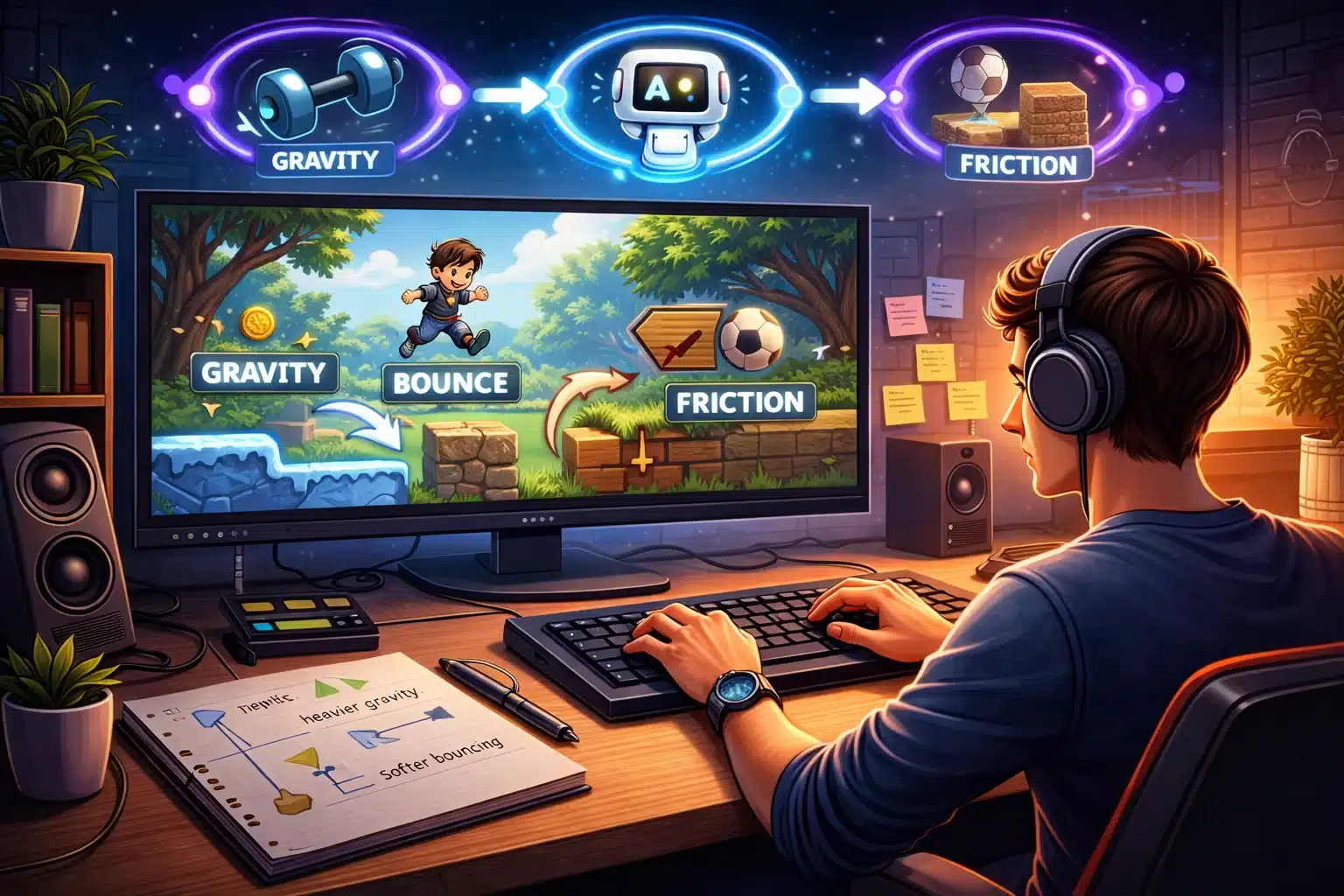
Game physics control how objects move, fall, bounce, and react when they touch each other. When physics feel wrong, characters slide strangely, jumps look stiff, or balls stop too quickly. Players notice these issues right away and lose interest. The good news is you can improve physics in your game without learning to code with the help of an AI game maker. Smart tools now let you describe changes in plain words and see the results almost instantly. This guide explains clear steps to make movements smoother, gravity more natural, and collisions more realistic. You will learn how to test and adjust everything until the game feels satisfying to play. Whether your game involves jumping characters, rolling objects, or falling items, these methods help you create better physics fast. Follow the steps, and your game will feel more alive and enjoyable without any technical struggle.
Understanding Game Physics Basics
Physics in games decides simple things like how fast a character falls after jumping or how far a ball rolls after being kicked. Good physics make actions feel believable and responsive. Bad physics make the game feel broken or frustrating. Common areas to improve include gravity strength, how objects slow down over time, and what happens when two items touch. For example, a jump should rise quickly, then fall smoothly, instead of moving in straight lines. Bouncing should lose a little energy each time, so it eventually stops instead of bouncing forever. In games where content changes often, physics need to stay consistent even when new levels or objects appear. Adjusting these elements early helps the whole game feel polished. You do not need math formulas or programming knowledge. Simple descriptions like make the jump feel higher or make objects slide less on grass guide the tool to better results.
Choosing the Right Approach for Beginners
Begin by focusing on one physics area at a time. Start with character movement because it affects almost every other part. Once jumping and running feel good, move to object interactions like collecting items or pushing boxes. Use a tool that lets you type plain requests and shows the updated game immediately. This quick feedback loop helps you try many ideas without wasting time. Test changes on both fast and slow movements so the physics work well in all situations. Keep your goals small and clear. Aim for physics that feels fun rather than perfectly realistic. Many great games use slightly exaggerated physics because they create more satisfying play. Take notes on what feels off during testing so you can describe exact fixes later.
Four Simple Ways to Adjust Physics
Use these four practical methods to improve how your game feels.
- Describe the desired movement in everyday words. Tell the tool you want jumps to reach higher with a gentle arc or that falling should speed up gradually instead of instantly.
- Adjust core values like gravity and friction. Ask for stronger gravity for quicker falls or more friction so characters stop running more naturally when you release the controls.
- Test on different surfaces. Request that ice makes sliding longer while grass slows the character quickly, so each ground type feels distinct.
- Refine collision reactions. Make objects bounce softly when they hit walls or stop cleanly when they land on platforms without strange shaking.
These methods build on each other. Start with broad descriptions and move to specific tweaks as you playtest. Each round of changes takes only a few minutes and brings visible improvements.
Improving Character Movement and Jumping
Character movement forms the heart of many games. When it feels floaty or too sticky, players struggle to control the action. Begin by making walking and running respond immediately to key presses. The character should start moving right away and stop smoothly when you release the button. For jumping, aim for a nice curve. The rise should feel quick and powerful, while the fall feels natural. Adjust the height and length of the jump until it matches the size of your platforms. Add a small amount of air control so players can steer slightly while in the air without making it too easy. Test jumps across gaps of different sizes. If the character overshoots or falls short too often, describe a small change, such as making jumps a bit longer. Repeat the process until most jumps feel fair and satisfying. Good jumping physics encourage players to explore and take risks.
Making Objects Interact Naturally
Objects like boxes, balls, and collectibles need realistic reactions when they move or collide. A pushed box should slide a short distance, then stop instead of flying across the screen. A rolling ball should slow down gradually on flat ground and speed up slightly when going downhill. Set clear rules for different materials. Heavy objects fall faster and are harder to push, while light objects bounce more. When two objects touch, decide whether they bounce apart, stick together, or pass through. These choices affect how puzzles or action sequences play out. In areas where new objects appear, make sure the physics rules apply automatically so everything stays consistent. Play through sections with many objects at once to check that nothing slows down or behaves strangely. Small adjustments here prevent frustrating moments later.
Handling Gravity and Falling Objects
Gravity gives weight to the game world. Too strong and everything drops like a rock. Too weak and movements feel slow and unrealistic. Find a middle point where falls feel quick enough for fast gameplay but still allow time for reactions. For falling items such as coins or enemies, make them accelerate smoothly from rest. Add slight side movement or rotation so they feel alive rather than stiff. When objects land, include a small bounce or settling motion so they do not stop dead instantly. Test falling from different heights. Short drops should feel light while tall drops build noticeable speed. This variation creates exciting moments like timed jumps or risky drops to collect items below. Adjust until the timing feels right for your game style.
Four Key Areas to Focus on Physics Improvements
Pay special attention to these four important areas when refining your game.
- Responsiveness: Controls should feel tight so movements happen exactly when the player expects them without delay or overshooting.
- Consistency: The same action should produce similar results every time even when new content appears in the level.
- Variety: Different surfaces and object types should behave differently to make the world feel rich and believable.
- Fun Factor: Physics should support enjoyable gameplay rather than fighting against the player or creating cheap mistakes.
Checking these areas regularly keeps your improvements balanced and player-friendly.
Testing Physics Changes Effectively
Good testing reveals whether your adjustments actually help. Play the same section multiple times after each change. Try normal play, then push the limits by moving as fast or as carelessly as possible. Note moments that feel great and moments that still feel off. Test on different devices if possible because screen size and control methods can change how physics feel. Ask a friend to try the section without your guidance. Their fresh experience often highlights problems with jumping distance or collision timing that you no longer notice. Return to earlier versions if a change makes things worse. The tool usually saves previous states so you can compare easily. Keep refining until the physics support the fun instead of getting in the way.
Using a Real Example for Inspiration
A good way to see improved physics in action is by playing a simple yet well-made game. Check out Brilliant Move on Astrocade. Notice how the movements and interactions feel smooth and responsive. Use it as a reference when describing what you want in your own project. Small observations from finished games help you create better requests for your tool.
Keeping Physics Simple Yet Effective
You do not need dozens of complex rules to make physics feel good. Focus on the most common actions first. Perfect the main character movement and a few object types before adding more variety. Overly complicated setups often create hidden problems that are hard to fix. Reuse the same base settings across similar objects to keep everything consistent. Small changes like slightly increasing bounce height or reducing slide distance can make a big difference in how the game feels. Always prioritize playability over realism. As your game grows, revisit physics settings occasionally. New features sometimes affect how older parts behave, so quick retests keep everything working well together.
Common Physics Problems and Quick Fixes
Watch for typical issues that appear even with good tools. If jumping feels too slow, ask for a faster rise speed. If objects clip through walls, request stronger collision checks. If sliding continues too long on flat ground, increase the slowing effect. When many objects appear at once, check whether the game slows down. Simplify some reactions or reduce unnecessary movements in crowded areas. Most problems have simple word-based solutions that the tool understands quickly.
Wrapping Up Your Physics Improvements
Improving game physics with an AI game maker is straightforward when you use clear descriptions and steady testing. Start with basic movement, refine jumps and falls, adjust object interactions, and check consistency across the whole game. These steps create a world that feels responsive and fun to explore. Whether you build your games with Astrocade or other easy methods, the techniques in this guide help you achieve natural-feeling results fast. Players will enjoy tighter controls, satisfying bounces, and believable reactions that keep them coming back. Begin with one small section of your game today. Describe the change you want, test it immediately, and adjust until it feels right. Each improvement builds confidence and brings your project closer to a polished experience. With patience and simple steps, your game physics will support great gameplay and make every action more enjoyable.